> For the complete documentation index, see [llms.txt](https://rtx-dev.gitbook.io/rtxdev/llms.txt). Markdown versions of documentation pages are available by appending `.md` to page URLs; this page is available as [Markdown](https://rtx-dev.gitbook.io/rtxdev/rtx-shell-creator/guides/furniture.md).
# Furniture
2,793 props, your own props, smart placement, the gizmo and one-click furnishing.
Pick the **Furniture** tool (`F`), choose a prop and click in the game view to place it.
{% hint style="info" %}
**Watch it:** [Furniture, gizmo & roofs - 4:10](https://www.youtube.com/watch?v=EPpvW_mne4Y\&t=250s) · [Smart rooms & one-click furnish - 1:26](https://www.youtube.com/watch?v=EPpvW_mne4Y\&t=86s)
{% endhint %}
## The Catalogue
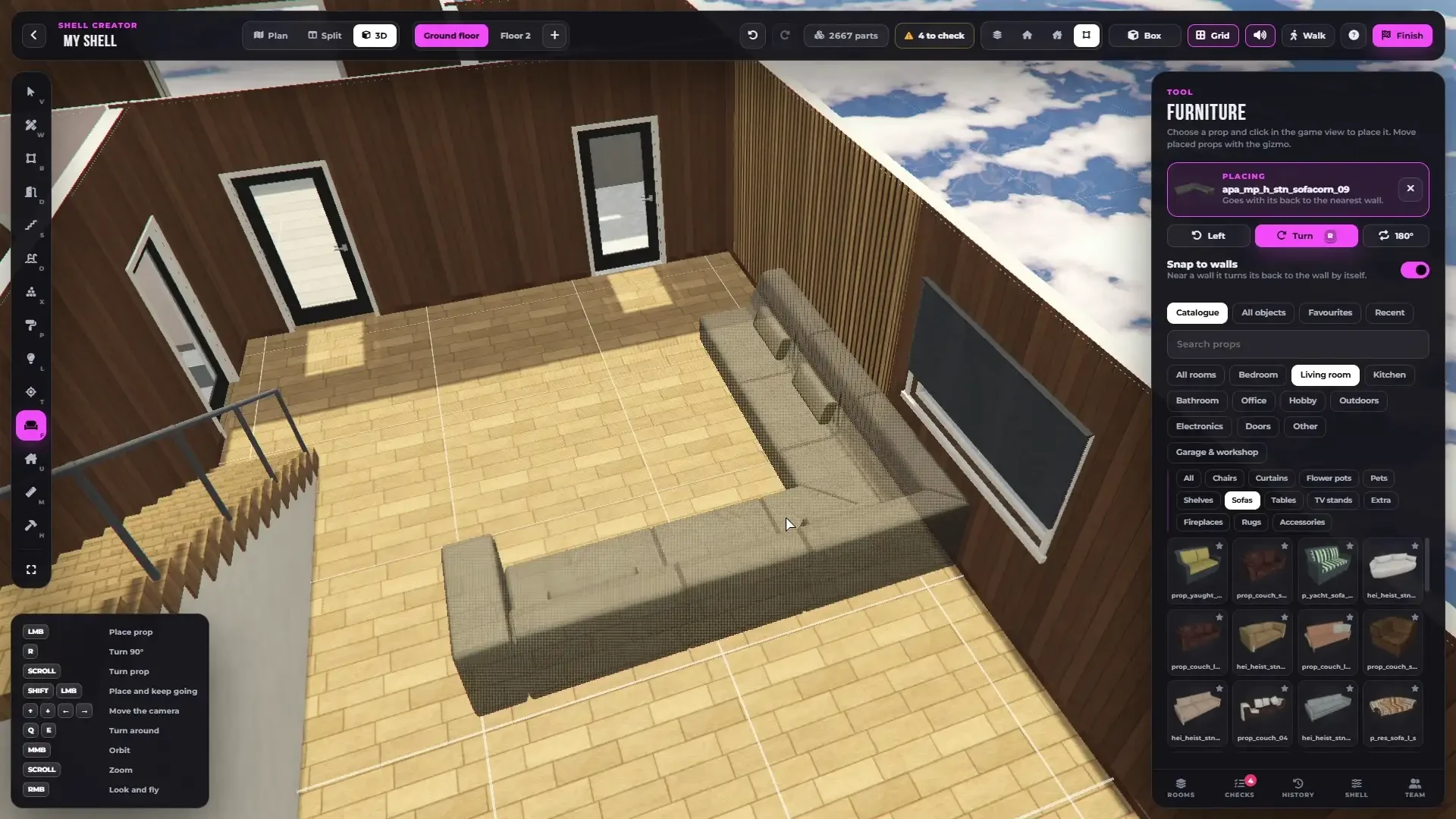
The catalogue - a picture of every prop, sorted by room and category.
* **2,793 furniture props** with a picture of every one
* Sorted by room - Living room, Bedroom, Kitchen, Bathroom, Office, Electronics, Hobby, Garage & workshop, Outdoors, Doors and Other - and by category
* Tabs **Catalogue**, **All objects** (any game object), **Favourites** and **Recent**
* Search, or type any model name and use it
{% hint style="success" %}
**Add your own props.** Any prop streamed on your server can be placed by its model name, or added to the catalogue with its room and category. See [Adding Your Own Content](/rtxdev/rtx-shell-creator/guides/adding-your-own-content.md#your-own-props).
{% endhint %}
***
## Placing
* Click to place, `Shift + click` places several
* `R` turns by 90°, `Shift + R` by 15°, the mouse wheel by 15° (`Shift` 5°)
**Smart placement** puts every prop where it belongs:
* pictures, clocks and mirrors hang on the wall, facing the room
* TVs at TV height
* beds, sofas, wardrobes and kitchen units go back against the nearest wall
* everything else stands where you click
**Snap to walls** can be switched off.
***
## Selected Prop
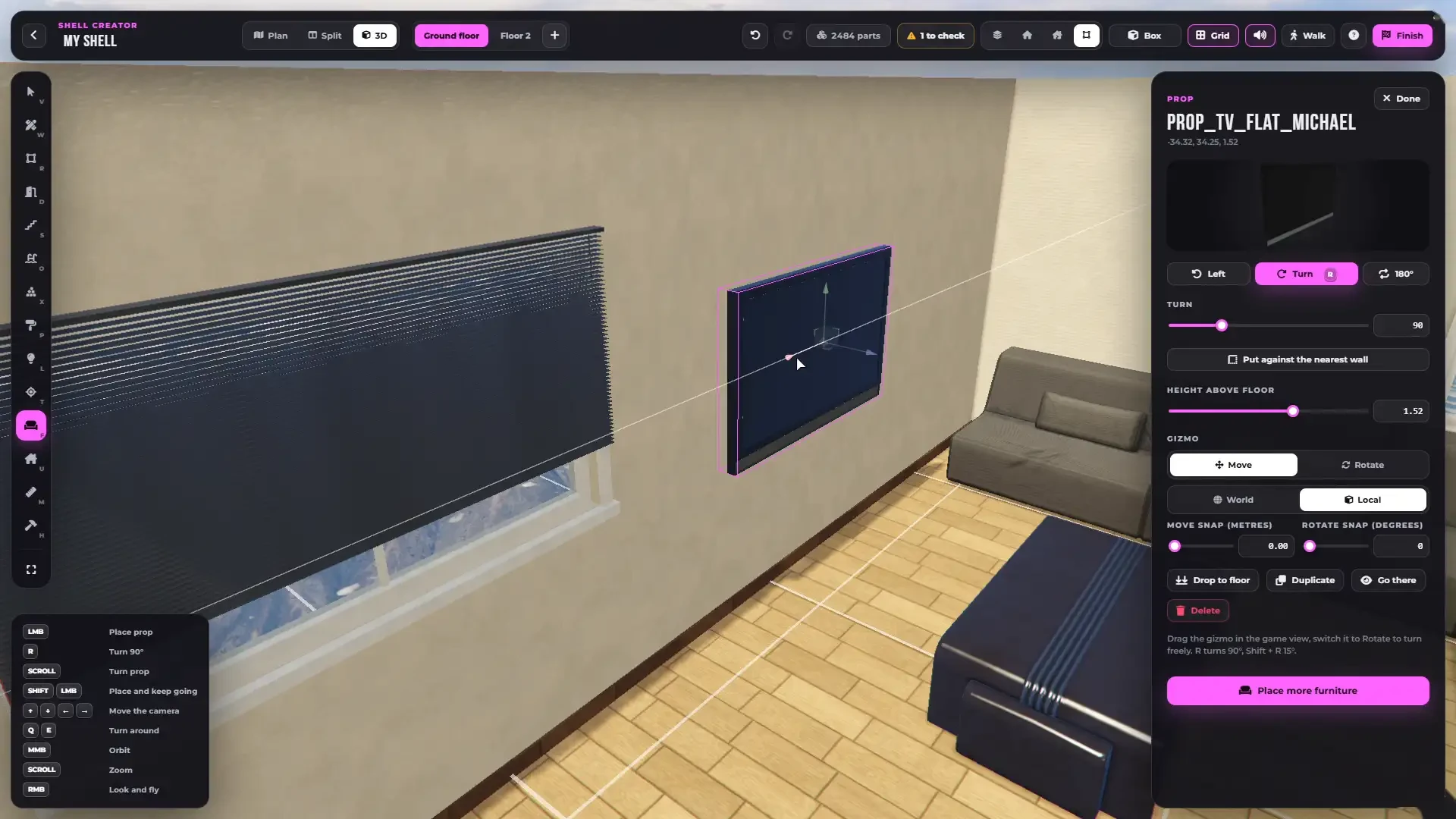
A selected prop with the gizmo - move or rotate, with snapping.
* Turn buttons and a turn slider
* **Put against the nearest wall**
* **Height above floor**
* **Gizmo** - move or rotate, world or local, with snapping in metres and degrees
* **Drop to floor**, **Duplicate** (`Ctrl + D`), **Go there** and **Delete**
***
## Furnish a Room
Select a room and press **Furnish**. The room is filled with furniture that fits its type - a bed and a wardrobe in a bedroom, a sofa and a TV in a living room, a toilet, a sink and a bathtub in a bathroom, and so on.
A living room furnished in one click.
Props you added to the catalogue are used too.
***
## Furniture Limit
One shell can have up to `Config.Shells.budget` props (800 by default). The Checks show when there are more and can remove the extra ones.