> For the complete documentation index, see [llms.txt](https://rtx-dev.gitbook.io/rtxdev/llms.txt). Markdown versions of documentation pages are available by appending `.md` to page URLs; this page is available as [Markdown](https://rtx-dev.gitbook.io/rtxdev/rtx-shell-creator/guides/adding-your-own-content.md).
# Adding Your Own Content
Add your own props, textures, colours, templates, language and more.
RTX Shell Creator is made to be extended. Everything below shows up right in the editor.
{% hint style="info" %}
**Watch it:** [Textures, colours & your own textures - 3:33](https://www.youtube.com/watch?v=EPpvW_mne4Y\&t=213s) · [Furniture - 4:10](https://www.youtube.com/watch?v=EPpvW_mne4Y\&t=250s)
{% endhint %}
| What | Where |
| -------------------------------------------------------------------------------------------- | ------------------------------------------------ |
| [Your own props](#your-own-props) | Any streamed prop, or `html/data/furniture.json` |
| [Your own textures](#your-own-textures) | `rtx_shellcreator/custom/` |
| [Your own colours](#your-own-colours) | Colour picker in the editor |
| [Your own templates](#your-own-templates) | Shell tab → Save as template |
| [Your own language](#your-own-language) | `language/` |
| [Your own admins](#your-own-admins) | `config.lua` and `server/other.lua` |
| [Your own notifications, HUD and weather sync](#your-own-notifications-hud-and-weather-sync) | `client/other.lua` |
| [Your own housing script](#your-own-housing-script) | Lua and JSON offsets, exports |
***
## Your Own Props
Any prop that is streamed on your server can be placed in a shell. There are two ways.
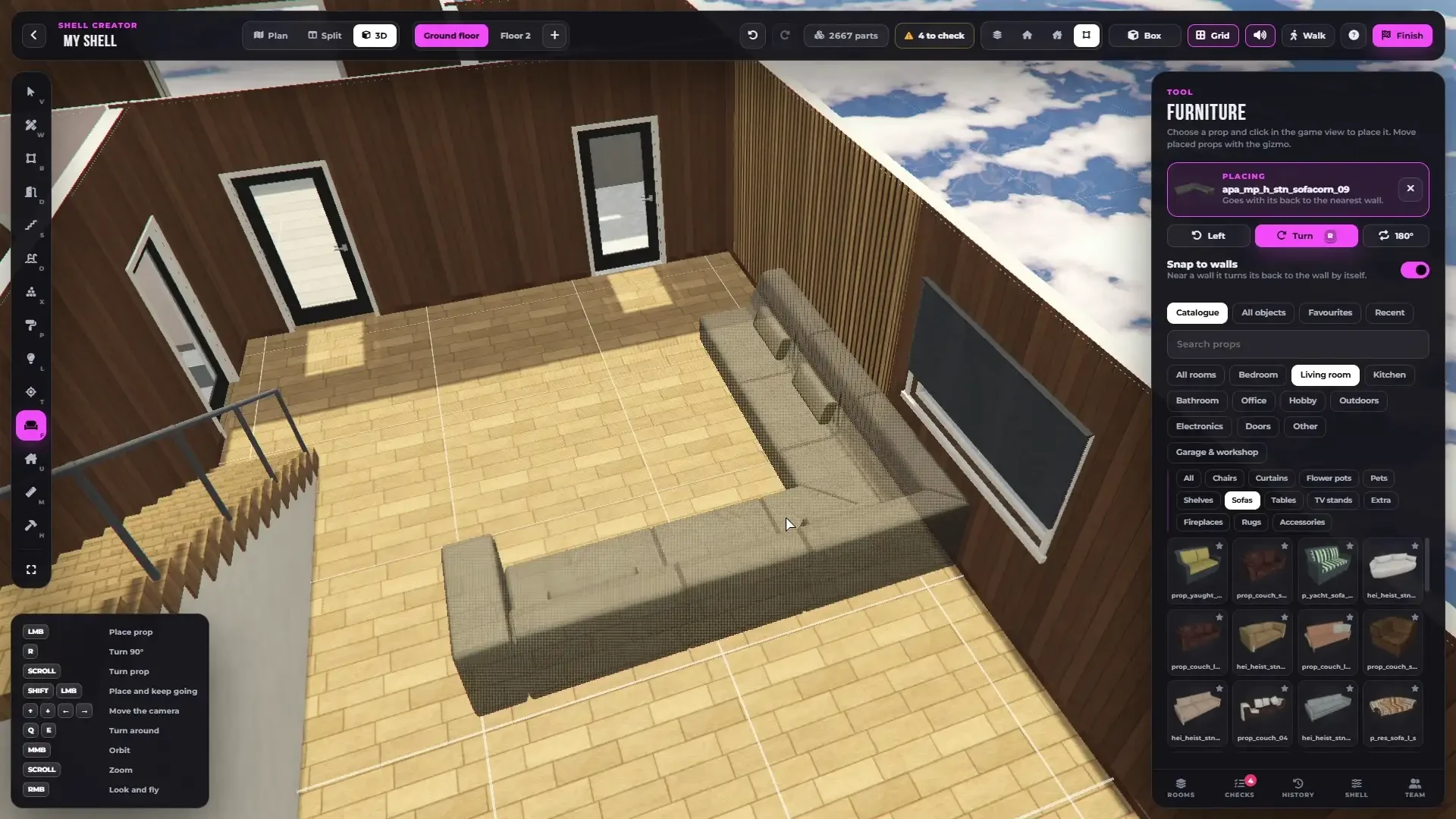
The Furniture tool - search a model name or browse the catalogue.
### Place it by its name
{% stepper %}
{% step %}
### Stream the prop
Put your prop into any resource (`stream/your_prop.ydr` and its `.ytyp`) and start it **before** `rtx_shellcreator` in `server.cfg`:
```cfg
ensure my_props
ensure rtx_shellcreator_assets
ensure rtx_shellcreator
```
{% endstep %}
{% step %}
### Type its name
Open the **Furniture** tool (`F`), type the model name into the search and click **Use your\_prop**. You can also find it under **All objects**.
{% endstep %}
{% step %}
### Keep it close
Click the star to add it to **Favourites**, so it is always one click away.
{% endstep %}
{% endstepper %}
### Add it to the catalogue
To have your props in the catalogue with the rest, sorted by room and category, add them to `rtx_shellcreator/html/data/furniture.json`. Every line is one prop:
```json
{"m": "my_sofa_01", "c": "livingroom", "s": "sofas"},
{"m": "my_bed_01", "c": "bedroom", "s": "beds"},
```
| Field | Meaning |
| ----- | ---------------------------------------------------------------------------------------------------------------------------------------- |
| `m` | The model name |
| `c` | The room: `livingroom`, `bedroom`, `kitchen`, `bathroom`, `office`, `electronics`, `hobby`, `garage`, `outdoors`, `doors`, `other` |
| `s` | The category, for example `sofas`, `beds`, `tables`, `chairs`, `wardrobes`, `tvs`, `rugs`, `shelves`, `kitchenunits`, `toilets`, `sinks` |
Restart `rtx_shellcreator` and your props are in the catalogue.
{% hint style="success" %}
**Furnish** uses the catalogue too. Put your sofa into `sofas` and your bed into `beds`, and one-click furnishing can pick them.
{% endhint %}
{% hint style="warning" %}
Keep a copy of your `furniture.json`. An update of the resource replaces it, so add your lines again after updating.
{% endhint %}
{% hint style="info" %}
Only props that are streamed on the server are offered. Finished shells keep your props as real objects, so the resource with your props must keep running.
{% endhint %}
***
## Your Own Textures
{% stepper %}
{% step %}
### Make the texture
* Square PNG, **512 × 512** or **1024 × 1024** px
* Seamless, so it tiles without visible edges
* 1 tile = 1 m
{% endstep %}
{% step %}
### Name it
Use letters, numbers, `_` and `-`, for example `dark_oak.png`. The name becomes the name in the palette (`dark_oak` → Dark oak).
{% endstep %}
{% step %}
### Drop it in
Put it into `rtx_shellcreator/custom/` and restart `rtx_shellcreator`.
{% endstep %}
{% step %}
### Paint with it
Open the **Paint** tool (`P`) and pick it under **More → Own textures**.
{% endstep %}
{% endstepper %}
The palette - your own textures are under More → Own textures.
* Up to **200** textures in the library
* One shell can use **6** of them at the same time
{% hint style="success" %}
Finished shells and MLOs bake your textures into the model. Players don't need the files.
{% endhint %}
***
## Your Own Colours
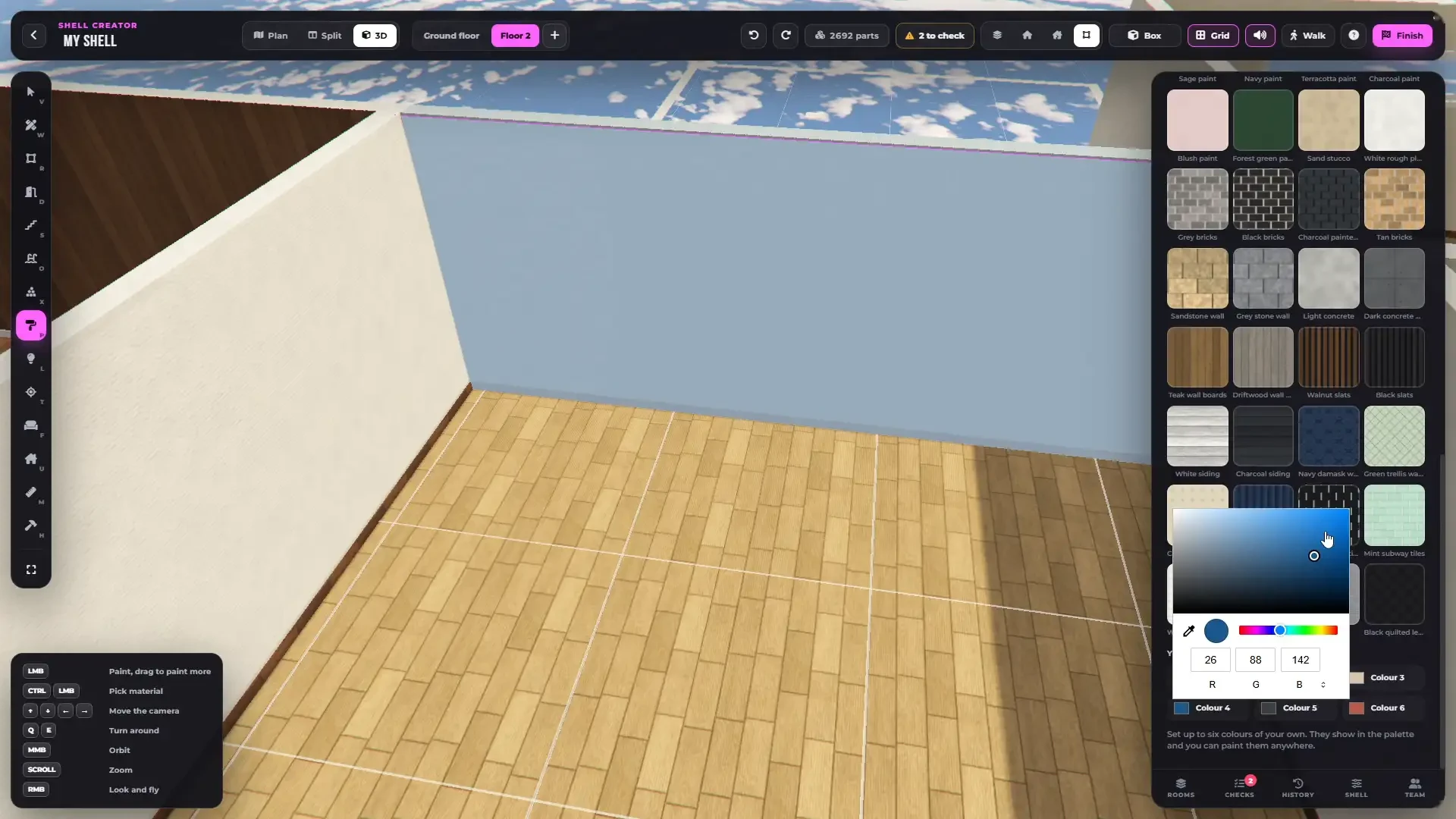
Every shell has **6 colours of your own**. Open the **Shell** tab, or **Colours** in the paint palette, and set them with the colour picker. They are in the palette and can be painted on any floor, wall or ceiling.
Your own colours, painted on the walls.
***
## Your Own Templates
Built a layout you want to use again? Open the **Shell** tab and press **Save as template**. Walls, materials, furniture and lights are saved.
Start a new shell with **New shell → My template**. Up to 60 templates.
To bring a shell from another server, use a [share code](/rtxdev/rtx-shell-creator/guides/templates-and-share-codes.md).
***
## Your Own Language
{% stepper %}
{% step %}
### Copy the English file
Copy `language/en.lua` to a new file, for example `language/mylang.lua`.
{% endstep %}
{% step %}
### Rename the language
At the top of the new file change
```lua
Language["English"] = {
```
to your language name:
```lua
Language["MyLanguage"] = {
```
{% endstep %}
{% step %}
### Translate and select it
Translate the texts and set in `config.lua`:
```lua
Config.Language = "MyLanguage"
```
{% endstep %}
{% endstepper %}
Any text you don't translate falls back to English.
***
## Your Own Admins
Give the shell creator to anyone you want in `config.lua`:
```lua
Config.AdminAce = "rtxshellcreator.admin"
Config.Admins = {
groups = {"admin", "superadmin", "god"},
identifiers = {"license:xxxxxxxx", "discord:xxxxxxxx"},
}
```
For anything else, for example a real estate job or a Discord role, change `IsAdminRTX` in `server/other.lua`.
***
## Your Own Notifications, HUD and Weather Sync
Everything that touches your other scripts is open in `client/other.lua`:
| Function | Use it for |
| ------------------------------- | --------------------------------------------------------------------------------- |
| `Notify()` | Your own notification script (set `Config.Notifications` to anything but `"rtx"`) |
| `HideHudRTX()` / `ShowHudRTX()` | Hiding your HUD while the editor is open |
| `SetWeatherSyncRTX()` | Your weather script |
| `SetDesignerWeaponRTX()` | Your inventory |
| `AllowedToolkit()` | When the editor may be opened |
See [client/other.lua](/rtxdev/rtx-shell-creator/configuration-files/client-other.lua.md).
***
## Your Own Housing Script
Every finished shell has **Lua offsets** and **JSON offsets** with the model and every housing point, plus exports to enter, leave and spawn it. See [Using Shells With Housing](/rtxdev/rtx-shell-creator/guides/using-shells-with-housing.md) and [Shell Exports](/rtxdev/rtx-shell-creator/exports-events/shell-exports.md).
***
## Need Help?
Join our Discord